
AI Brand Kit cover

2026

AI Brand Kit

Partnering with TikTok Life Services to help an AI agent generate on-brand H5 pages and header images.

TIMELINE

2026 June - August

TEAM

1 Product Manager, 3 Developers, 3 Operations

ROLE

AI Product Design Intern @TikTok

SKILLS

Agent Design, Prompt Engineering

OVERVIEW

Life Services teams constantly need to create campaign visuals and H5 pages that feel polished, branded, and ready to use. I designed a two-skill workflow that moves an AI agent from a campaign brief to a key visual and a complete H5 page.

01

Brand Knowledge

Analyzing and understanding the brand visual language and brand assets.

02

Visual Generation

Generate high quality head images that includes the logo in a smart way, align with the campaign brie and fits the style of the brand.

03

H5 Page Generation

Extend the head image into a complete H5 page and create elements and content that align with the brand.

04

Python Scripts

Creating Python scripts in the skill to assist page generation, eg. Background removal, blending the picture to the background, inserting logo, etc.

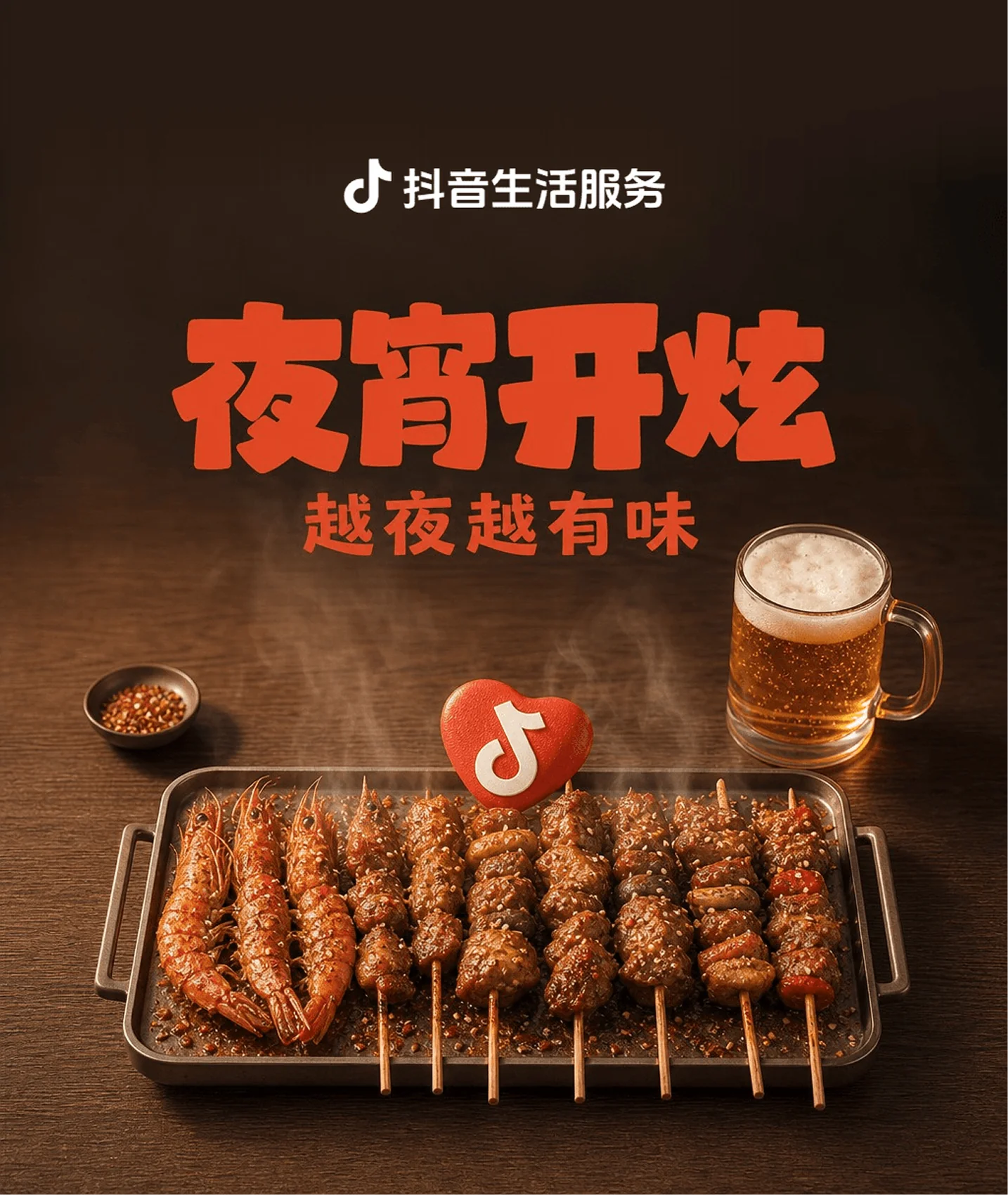
Generated Life Services key visual

How might we help an AI agent create Life Services H5 pages and header images that meet a high visual standard—without making every campaign a manual design task?

SOLUTION

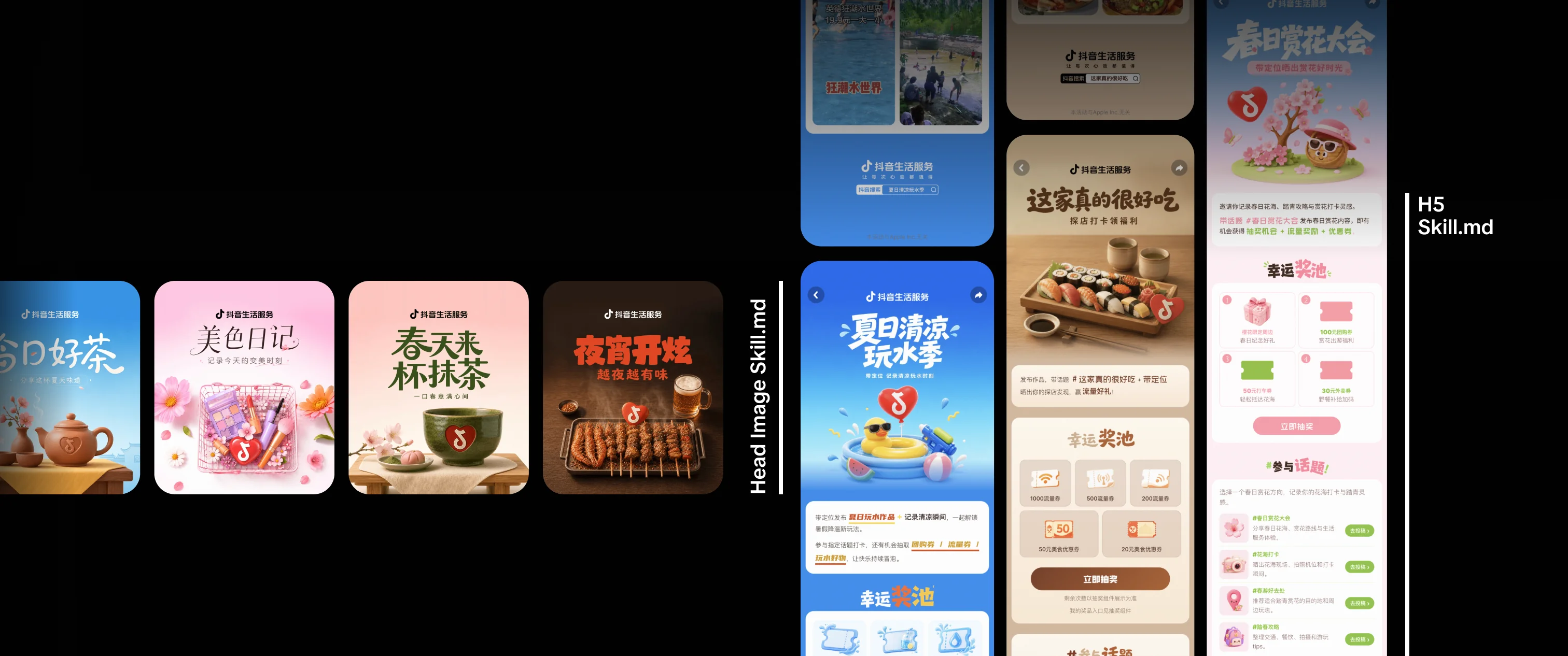
01Header Image Generation

Turns a campaign theme into a ready-to-use Life Services key visual.

SKILL.md steps

  1. Define the campaign theme
  2. Classify into one of seven categories
  3. Draft three titles, pick one
  4. Compose the prompt from the template
  5. Generate against two reference images
  6. Overlay the auto-colored logo
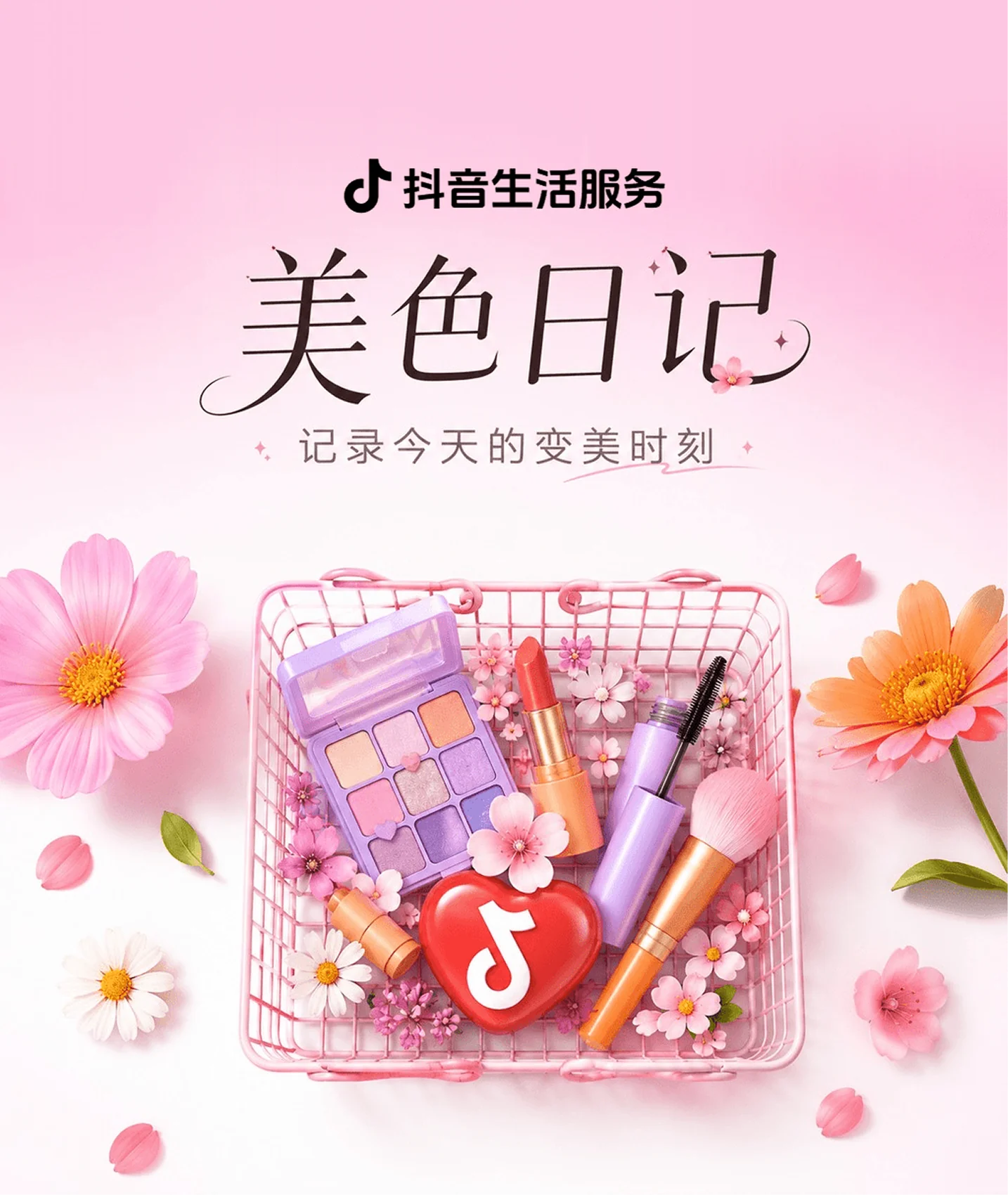
Travel campaign key visualMatcha campaign key visualTea campaign key visualLate-night food campaign key visualSummer picnic campaign key visualBeauty campaign key visual

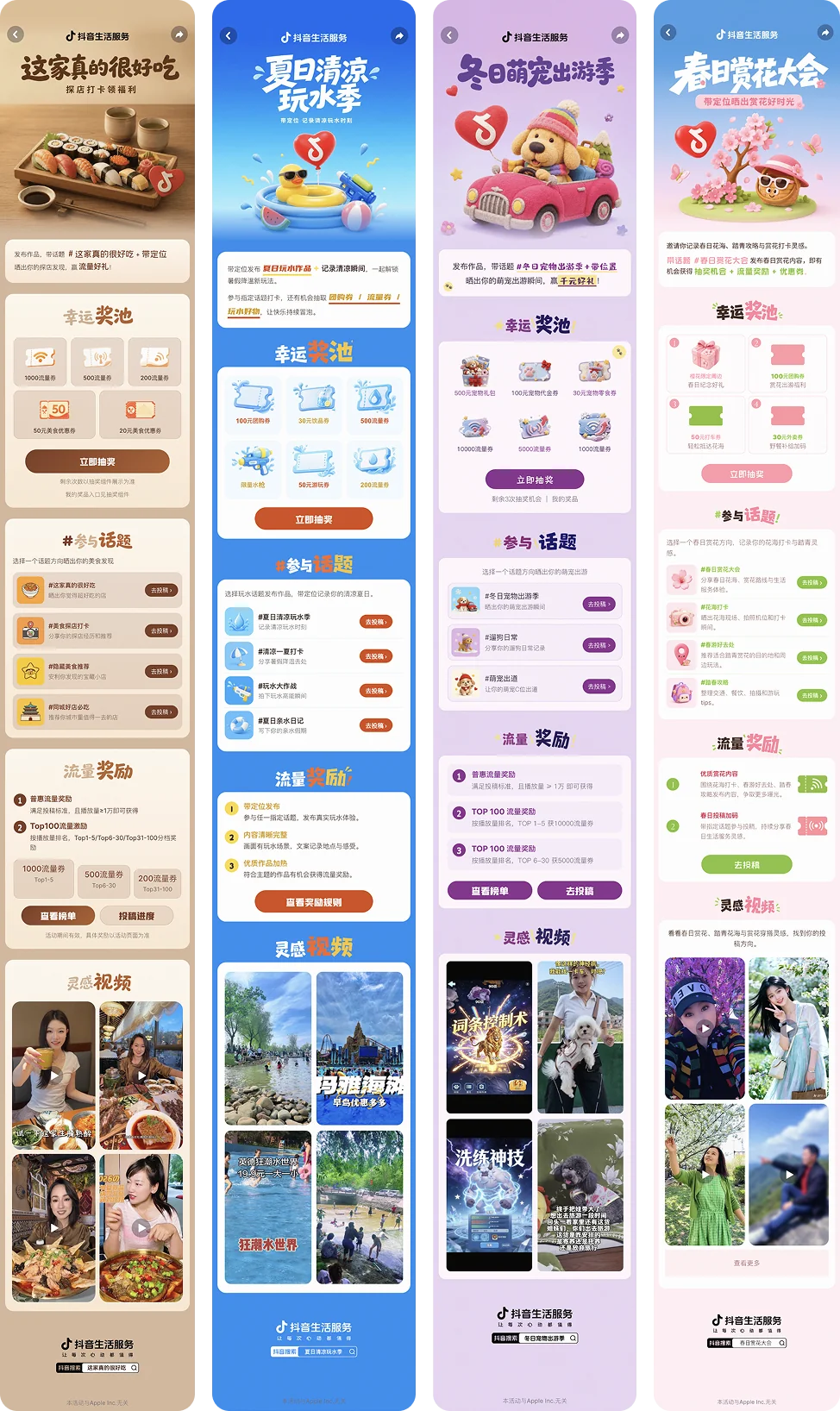
02H5 Page Generation

Extends the approved key visual into a complete, responsive H5 page.

SKILL.md steps

  1. Confirm inputs and real content
  2. Generate or receive the key visual
  3. Analyze the key visual
  4. Build the brand kit
  5. Select modules, set page order
  6. Plan title images and cutouts
  7. Implement in HTML and CSS
  8. Check compliance, then deliver
Four generated H5 campaign pages: restaurant discovery, summer water play, winter pet travel, and spring blossom

INTENDED IMPACT

The skills aim to change three things: who can make campaign visuals, how good they are, and how long they take.

Wider Adoption

Operations teams can create their own campaign visuals on the agent platform instead of queuing for design support.

Higher Baseline

Life Services visual standards live inside the workflow, so output starts on-brand rather than generic.

Faster Turnaround

A campaign brief becomes a finished header image and H5 page in a single pass.

PROCESS

  1. 01LoRA vs. Skill

    I evaluated two approaches, a LoRA and a skill, on which produced higher-quality images that fit the Life Services visual style. The comparison favored the skill, which became the foundation for the rest of the workflow.

  2. 02Header Image Skill

    The initial workflow was a linear chain: campaign topic, then generated prompt, then generated image. In practice it rarely met the quality bar, and the resulting style repeated itself across campaigns.

    I replaced it with a set of prompt templates organized by topic category. The skill now assigns the template that matches the campaign and composes a prompt from it, addressing both the quality ceiling and the repetition.

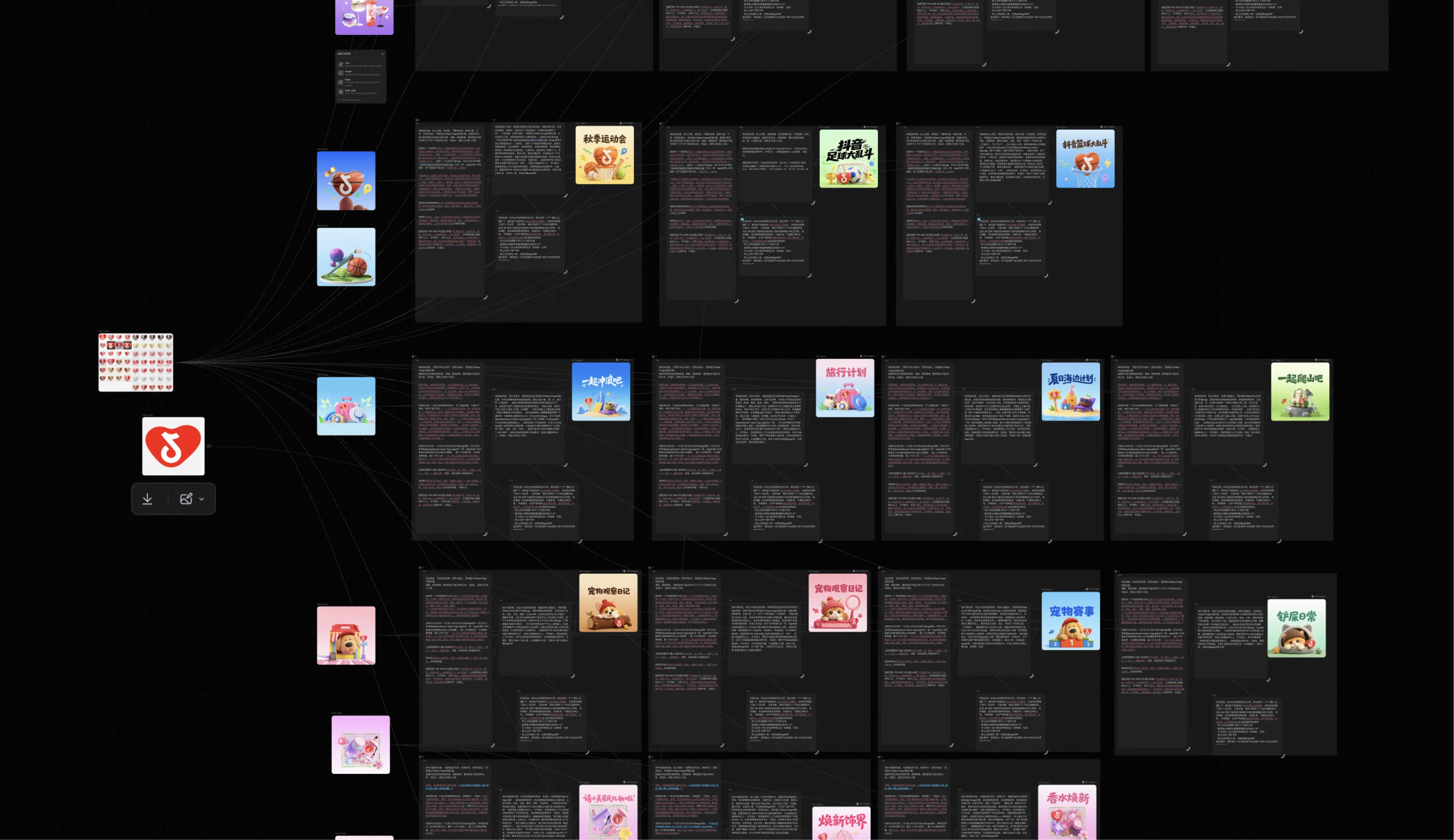
    Working canvas showing a logo reference and category reference images fanning out into prompt threads and their generated header images
  3. 03Problem Solving

    Problems occurred in the process that affect the quality of the output. I iterated on reference inputs, scripts writing, prompt engineering, and adding steps to the skill to resolve each of these and brought the output to a consistent quality level.

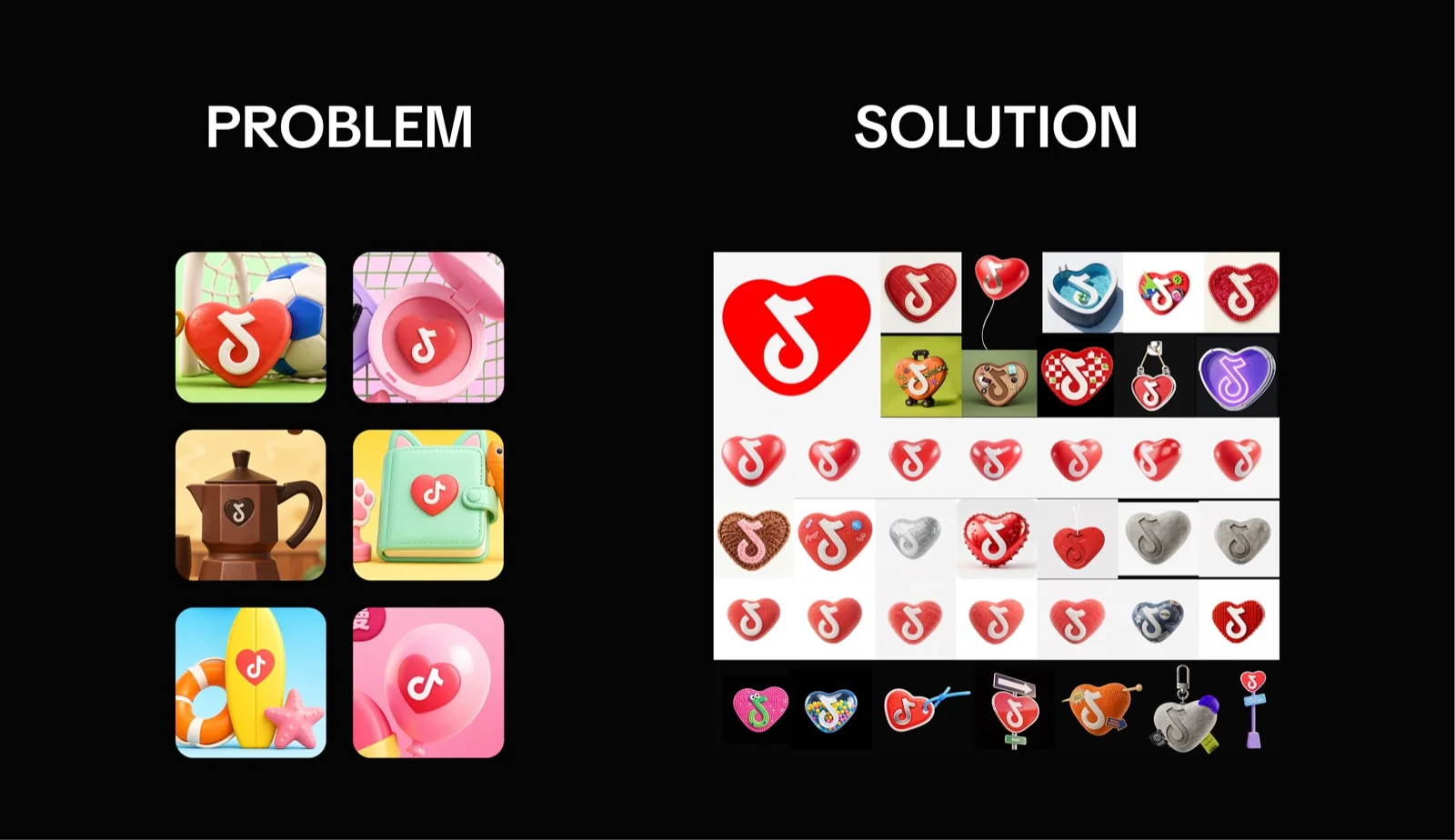
    Problem and solution for the logo: inconsistent renders beside the reference sheet of approved heart-logo treatments

    Logo distortion

    The logo rendered with an incorrect shape, or appeared more than once in a single image.

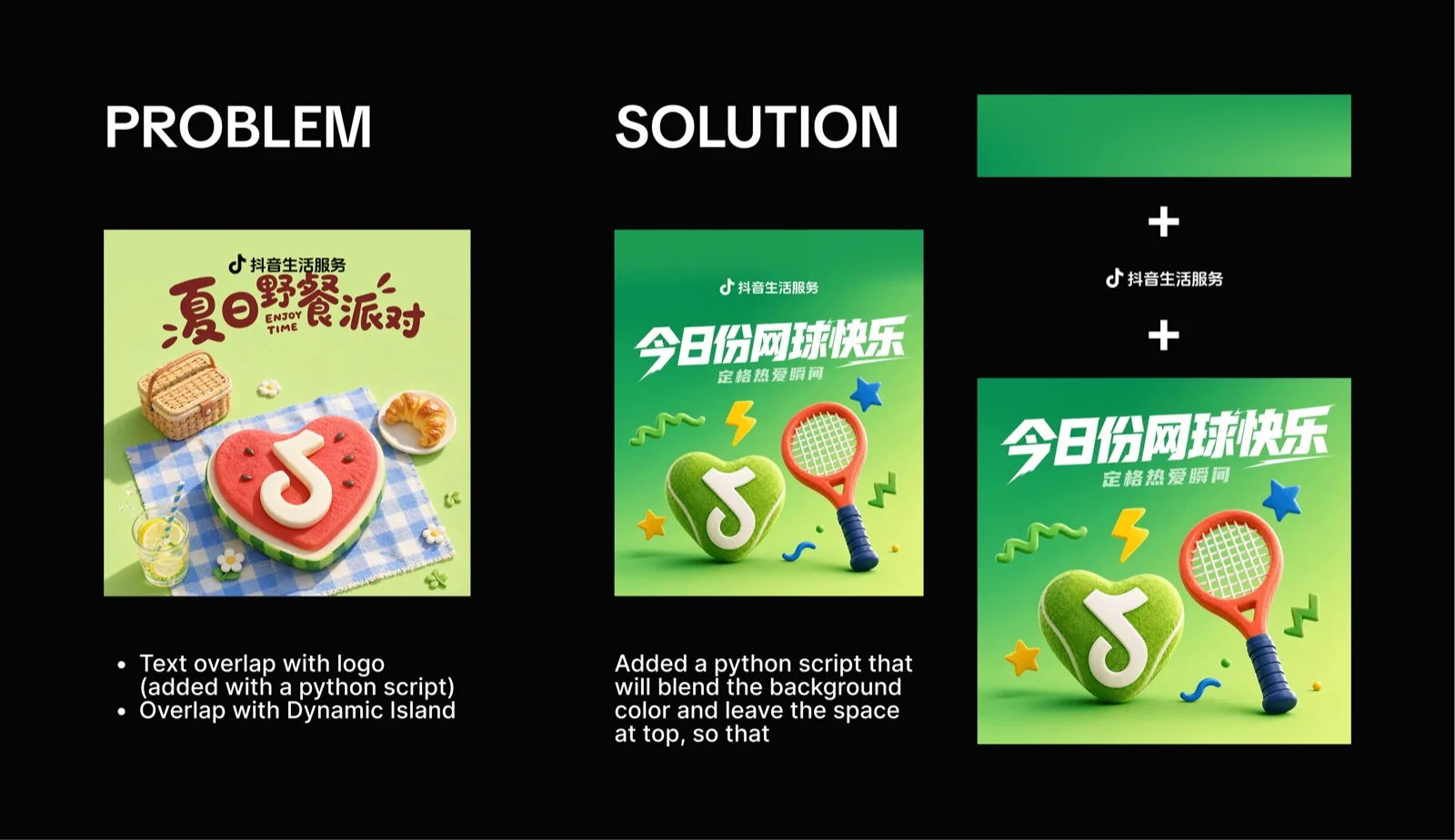
    Problem and solution for title placement: an overlapping title beside the script-blended version that reserves space at the top

    Title collision

    The space reserved for the logo at the top of the image was not respected, so the title overlapped it.

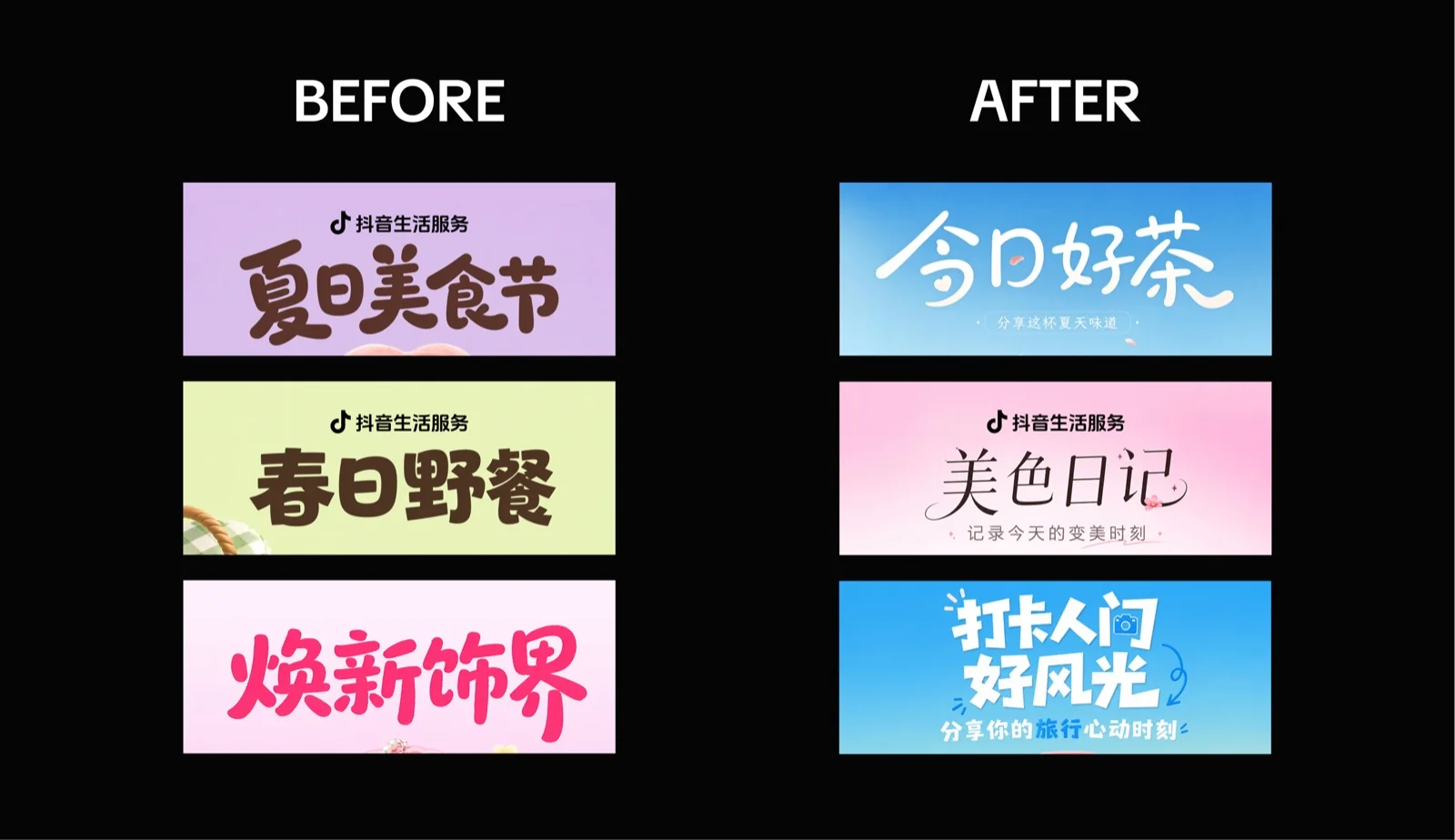
    Campaign titles before and after, three samples each side

    Wrong typeface

    Generated text rendered in a typeface outside the brand set.

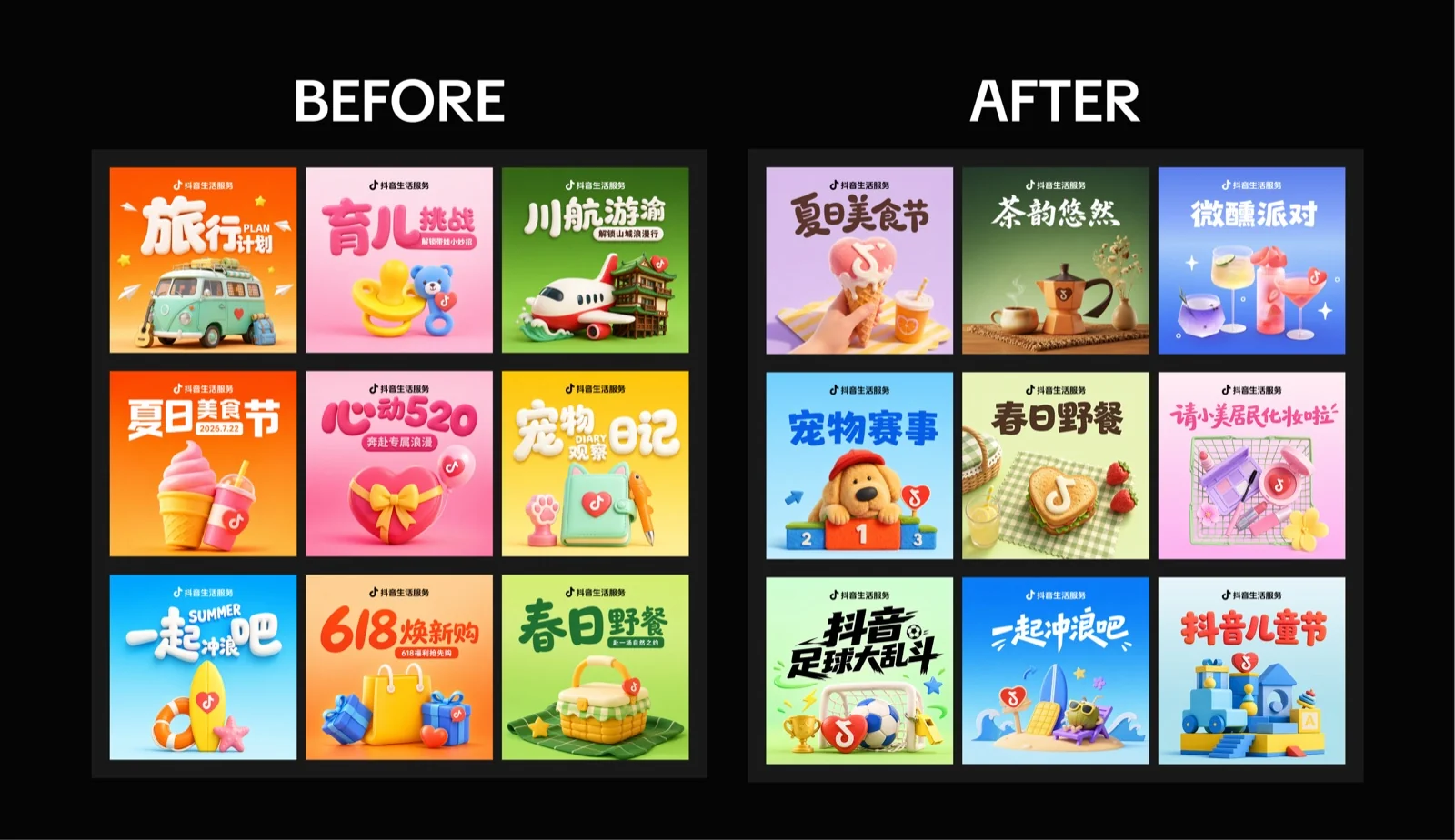
    Nine header images before and after, showing the shift away from a cartoonish render

    Over-stylization

    The overall render skewed more cartoonish than the brand allows.

  4. 04H5 Page Skill

    I analyzed the sample H5 pages to determine which parts of the layout could be encoded as a skill, then defined a template for each page section. The skill is written with HTML and CSS knowledge so pages can be reproduced consistently, including a typographic treatment for section subtitles that keeps them on brand.